Why companies look for an alternative to Maxim AI Bifrost
From Maxim AI Bifrost’s own pricing and documentation, checked 9 November 2026:
- You host it: Bifrost runs on Docker, Kubernetes or a Go binary in your infrastructure, and Enterprise adds VPC, on-prem and air-gapped deployment.
- SSO, roles and audit trails on Enterprise: Maxim's pricing lists SAML and OIDC SSO, custom roles and immutable audit trails as Enterprise features, priced on request.
- Your own provider keys: Bifrost routes with the provider keys you bring, so each model vendor needs its own account and contract.
- No European region published: Maxim states that data stays in your own infrastructure, and publishes no EU region or residency rule of its own.
- Cost routing is yours to configure: Bifrost offers fallbacks, weighted load balancing and semantic caching, with no published routing to the cheapest capable model.
What Standard Compute does differently
A single API gives you frontier and open-source models, and it routes each step to the cheapest model that can do it and the cheapest provider fast enough to serve it.
Bifrost balances traffic across the keys and providers you configure. Standard Compute chooses the model for each step and supplies the providers, so routine agent steps run on a model priced for that work. You pay a flat monthly plan per person or app.
Control is set once for the company:
Processing in Europe
Set a Europe rule for your company, a team or a single key, and every request, including retries and fallbacks, is served only by approved European inference endpoints. If no European endpoint can serve it, the request is refused before your prompt is sent. Our EU gateway terminates TLS and runs in Finland, and your account data is stored in Frankfurt.
Zero data retention
Turn on zero data retention for your company, a team or a key, and every request is routed only to inference endpoints that commit to keeping no copy of your data. Teams and keys inherit the requirement and can never switch it off underneath you.
No training
Standard Compute never trains on your prompts or outputs. With a region rule or zero retention turned on, every request goes only to providers that commit not to train on it.
Single sign-on
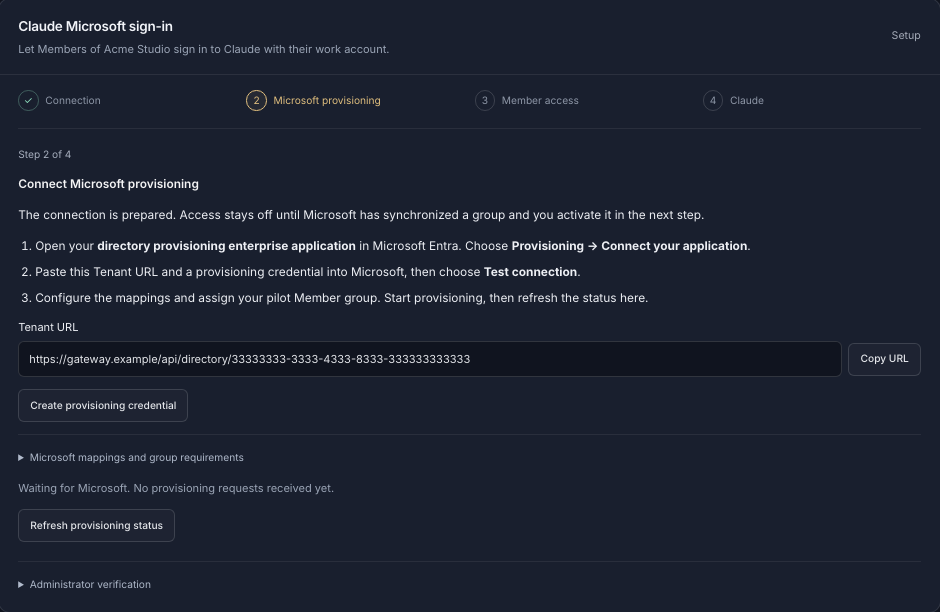
Connect Microsoft Entra ID or any SAML identity provider so your people sign in with their work accounts. Employees sign in to Claude Desktop and Claude Code with their Microsoft work account through our EU gateway, and access follows your Entra groups through SCIM provisioning.
Teams and keys
Organize your company into teams, invite colleagues by email, and give every person and every app its own key, all under one company account.
Budgets
Every person and app gets a fixed monthly budget that never overruns, and you can set spending caps per key and for the whole company. Optional top-off from a prepaid company balance keeps critical agents running.
Allow-lists
Choose exactly which inference providers may handle your data, for the whole company, a team or a single key. New providers are never added without an admin's approval, and fallbacks can never route around your list. Decide which models each key can use.
Audit
Every admin change is recorded with before and after values, and you can export a record of every request showing the model, the provider that served it and the region rule in force, kept for 12 months.
Contract
Sign our Data Processing Agreement in the dashboard. It commits us to no training on your data, no retention of your content, and breach notification within 72 hours. We publish every sub-processor and give you 14 days' notice before adding a new one.
Standard Compute and Maxim AI Bifrost compared
| Standard Compute | Maxim AI Bifrost | |
|---|---|---|
| Pricing | Flat monthly plan per person or app with no per-token surprises; Stripe invoices with your company name and VAT number | Open source free to self-host; Enterprise custom; model usage billed by each provider |
| Cost routing | Each step goes to the cheapest model that can do it | Fallbacks, weighted load balancing, semantic caching and routing rules you configure |
| Models | Claude, GPT, Gemini and open models (GLM, DeepSeek, MiniMax, Kimi) through one API | Providers you bring with your own keys |
| Processing in Europe | Europe rule per company, team or key; retries and fallbacks stay on approved European endpoints; refused before sending if none qualifies | Runs where you deploy it; no EU region published |
| Zero data retention | Per company, team or key; lower levels cannot switch it off | Content logging configured by you; provider retention set with each provider |
| Training on your data | Never trains on prompts or outputs | Not published |
| Single sign-on | SAML SSO, Microsoft Entra ID included; Claude Desktop and Claude Code sign-in with a Microsoft work account, SCIM from Entra | SAML and OIDC with SCIM on Enterprise |
| Teams and keys | Teams, roles, a key per person and per app | Virtual keys, teams and customers; custom roles on Enterprise |
| Spend limits | Fixed monthly budget per key; requests are refused once it is used; caps per key and per company | Budgets and rate limits per virtual key, team and customer |
| Provider and model allow-lists | Provider allow-list per company, team or key; new providers need an admin; models chosen per key | Providers deny-by-default per virtual key with allowed models; guardrails on Enterprise |
| Audit log | Admin log with before and after values; request export with model, provider and region rule, kept 12 months | Immutable audit trails on Enterprise |
| What you operate | Managed service; nothing to host | Self-hosted gateway on Docker or Kubernetes |
When Maxim AI Bifrost fits
Bifrost fits an engineering team that wants an open-source gateway inside its own network, already holds contracts with each model provider, and has people to run it.
Moving from Maxim AI Bifrost to Standard Compute
Standard Compute’s API runs on stdcmpt.com. https://eu.stdcmpt.com is our EU gateway in Finland.
- Create a company workspace and set the rules once for the company: a Europe rule, zero data retention, and the providers and models you approve. Teams and keys inherit them.
- Create a key for each person and each application, each with its own monthly budget.
- Point applications at
https://eu.stdcmpt.com/v1in place of your Bifrost host (http://localhost:8080/v1by default) and swap thesk-bf-virtual key for a Standard Compute key. OpenAI-compatible client code stays the same. - Recreate virtual-key budgets and allowed models as per-key budgets and model selections in the dashboard.
- Point Claude Code at
https://eu.stdcmpt.comin place ofhttps://<your-bifrost>/anthropic. - Connect Microsoft Entra ID or your SAML identity provider so your people sign in with their work accounts, and set up Claude Desktop and Claude Code sign-in with Microsoft work accounts.
# Before
OPENAI_BASE_URL=http://localhost:8080/v1
OPENAI_API_KEY=YOUR_BIFROST_VIRTUAL_KEY

# After: Standard Compute EU gateway
OPENAI_BASE_URL=https://eu.stdcmpt.com/v1
OPENAI_API_KEY=YOUR_STANDARD_COMPUTE_KEYfrom openai import OpenAI
client = OpenAI(
base_url="https://eu.stdcmpt.com/v1",
api_key=os.environ["STANDARD_COMPUTE_API_KEY"],
)
# "standardcompute" sends each step to the cheapest
# model that can do it. Or pin a model:
# model="anthropic/claude-sonnet-5.5"
client.chat.completions.create(
model="standardcompute",
messages=messages,
)# Claude Code adds /v1/messages itself
export ANTHROPIC_BASE_URL=https://eu.stdcmpt.com
export ANTHROPIC_AUTH_TOKEN=YOUR_STANDARD_COMPUTE_KEY
claudeQuestions
Is there a managed alternative to Bifrost?
Standard Compute is a managed gateway with nothing to host. Teams, a budget per key, provider and model allow-lists, Microsoft Entra SSO and an audit log are set self-serve in the dashboard.
Do we need our own OpenAI, Anthropic and Google accounts?
No. A single Standard Compute API gives you frontier and open-source models, on flat monthly plans per person or app.
Where is our data processed?
Set a Europe rule for your company, a team or a single key, and every request, including retries and fallbacks, is served only by approved European inference endpoints. Our EU gateway terminates TLS and runs in Finland, and your account data is stored in Frankfurt.
Does it work with Claude Code?
Point Claude Code and Claude Desktop at Standard Compute and your team stops hitting 5-hour and weekly caps: agents run until the monthly budget is used.
How do we migrate from Bifrost?
Create a company workspace and set your rules, then point your applications at https://eu.stdcmpt.com/v1 with a Standard Compute key. OpenAI-compatible client code stays the same.
Set up your company
Create a company workspace, invite your team and set your rules from the dashboard. Security questionnaires and procurement questions go to contact@standardcompute.com.
Create a company workspaceor write to contact@standardcompute.com
Sources (checked 9 November 2026)
- Maxim AI homewww.getmaxim.ai
- Pricingwww.getmaxim.ai
- Enterprisewww.getmaxim.ai
- Bifrost overviewwww.getmaxim.ai
- Bifrost documentationdocs.getbifrost.ai
- Gateway setupdocs.getbifrost.ai
- Virtual keysdocs.getbifrost.ai
- Claude Codedocs.getbifrost.ai